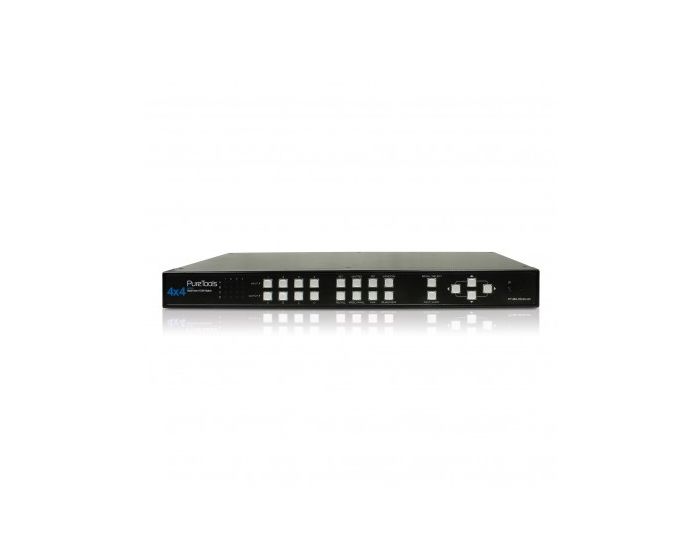
PureTools HDMI 4x4 QuadView Matrix Switcher
The PT-MA-HD44-QV 4x4 MultiView HDMI Matrix Sqitcher is the only fully independent HDMI system that can dynamically distribute four HDMI multimedia sources to up to 4 displays and arrange them individually in a total of 6 different modes, such as Picture-in-Picture or Quadview (see manual for detailed descriptions). Each source signal can be scaled individually and switched without delay or a black screen. HID input (mouse) provides extensive control functions such as crop, drag & drop, and zoom in/out. The Videowall function enables the display of a complete picture on several displays. This is the ideal solution for A/V switching, distribution and transmission.
Features:
- Completely independent video wall Quad view system with 6 video modes and up to 8 user configurable presets.
- Smooth dynamic scaling of up to 4 inputs.
- Select any input to be displayed on up to 4 monitors.
- Change mode and scaling with no delays.
- Intuitive mode operation by front panel Push Buttons, OSD (keyboard / mouse), IR Remote Control or RS232.
- The system can support digital video resolutions up to FullHD (1080p) or WUXGA (1920 x 1200). With 4 screens, a total of 4K / UltraHD video resolution is possible.
- Supports locking HDMI cables.
- Sturdy metal rack-mountable casing designed for 1U application.
- Zoom in / out and picture-crop functions.
- Advanced RS232 commands.
- Drag and Drop feature to easily arrange all windows.
Mode Overview:
- Matrix Mode: Viewing 4 video sources on up to 4 displays in any config.
- Picture-in-Picture: Viewing main image with 1 sub image in smaller window.
- Picture-and-Picture: Viewing main image with 3 subordinate images in smaller windows.
- Windows mode: All video sources can be viewed simultaneously with various window sizes and positions
- Video wall mode: Viewing one selected video source on multiple displays as one. The images can be configured in 2x2 or 1x3 mode
- Quadview: Viewing all video sources on a single display
Mouse Control Features:
- Zoom In & Out
- Drag & Drop
- Crop & Display